

 NTR
Tango in Progress
NTR
Tango in Progress
Terms & Conditions
AGB NuevoTangoRave
Terms & Conditions
The registration donation is 50 € per person. The donation includes participation of the event, refreshments (water, coffee).
Detailed information is available in the schedule.
Registration
Participation in the "NuevoTangoRave" is only possible for registered participants.
There is no possibility to buy tickets at the entrance.
Registration for the marathon can be made in couples or solo via the registration form.
The data provided by the participant should be up-to-date and truthful. For the consequences of misrepresentation by the participant, the full responsibility of solely upon her-/himself.
It is a “role balanced” event, therefore the organizers seek to pay attention to the number of DUAL, follower and leader dancers. Given the limited number of places in the marathon, the organizers reserve the right to select participants. The organizers do not communicate reasons for admittance or refusal.
Your registration is personal and non-transferable.
The data of participants will be verified on the day of the event.
Payment
The registration fee is due 10 days after the confirmation of your participation and before the event takes place. The organizers retain the right to move the dancer back on the waiting list or withdraw the participation if the registration fee is not received until the communicated date in the confirmation email.
Registration with a partner
If you register with a partner and the partner cancels at a later stage, the organisers retain the right to put the dancer on a waiting list without reimbursement of the registration fee.
FEEL FREE TO REACH OUT FOR CHANGING THE PARTNER.
The change of the participant may be made up to 7 days before the date of the event. In the e- mail application for change, the participant is obliged to provide his full details, i.e. name and surname, e-mail address, contact telephone number and reservation number. IF THE NEW participant GETS ACCEPTED, THE participant WHO APPLIED FOR THE CHANGE RECEIVES A REFUND WITH A HANDLING FEE OF X EUR.
Cancellation
In any case transaction costs incl. exchange rates difference are non refundable.
- 14 days after registration - 100% refund minus bank and exchange fees
- For cancellations up to six weeks before the event, we charge a flat processing fee of 10 € per ticket.
- For later cancellations the full ticket price will be retained or you have to find a substitute dancer on your own.
Random accidents on the part of the participant, such as illness or professional obligations, do not constitute the basis for a refund.
Force majeure
THE organizers do not bear responsibility for the occurrence of desaturated force majeure, and in particular may arise blockades of borders and ports, airports, due to the state I epidemics in connection with infections SARS-CoV-2 . participant is obliged to consult the detailed regulations on entry into the country AND agrees to respect and follow the official german Covid-19 regulations valid at the time of the event.
Insurance
The organizers do NOT offer any insurance for participants and when participating in the event – it is recommended to purchase insurance on your own.
Security
The organizers are NOT responsible for the property left by the participant without supervision and / or adequate security during participation in the event, although the organizer tries to provide participants with the highest level of security.
Changes and cancellation of the event
In exceptional cases, when the organization of the event is impossible or significantly impeded, the organizers have the right to cancel the event. In the case referred to in the preceding sentence, the participant will receive a reimbursement of the costs of registration for the event, minus any online payment provider commission, the amount of which will be informed by the organizer of the above-mentioned messages.
In exceptional cases, the organizer also has the right to make changes to the event program, as well as to change the venue of the event, change the instructors running the event and change the date of the event, or increase the price of the event.
Consent to pictures and videos
This event explicitly allows videos and photographs of the participants. By submitting the registration, the dancer consents to publish any pictures and videos taken throughout the event. Pictures and videos will be published on social media and the website.
Non-harassment clause
It is important to the organizers to create an event where everyone feels welcome. Therefore, the organiser asks everyone to adopt a respectful, non-intrusive behaviour as well as no verbal and physical violence. YOU, the participants are most encouraged to report it to the organization, so that we can maintain a safe and peaceful event.
Any person perpetrating such misconduct, please be aware that we will respond proportionally and that depending on the gravity of your actions this might lead to an immediate exclusion of the event or lead to further legal steps.
GDPR
European gdpr law applies. The administrator of your personal data are the organizers of this event. all data in the registration form serve the purpose to process the registration for this event. all data will be handled strictly confidential.
By submitting your registration and / or entering the event locations, you accept these terms and conditions.
Offline Page
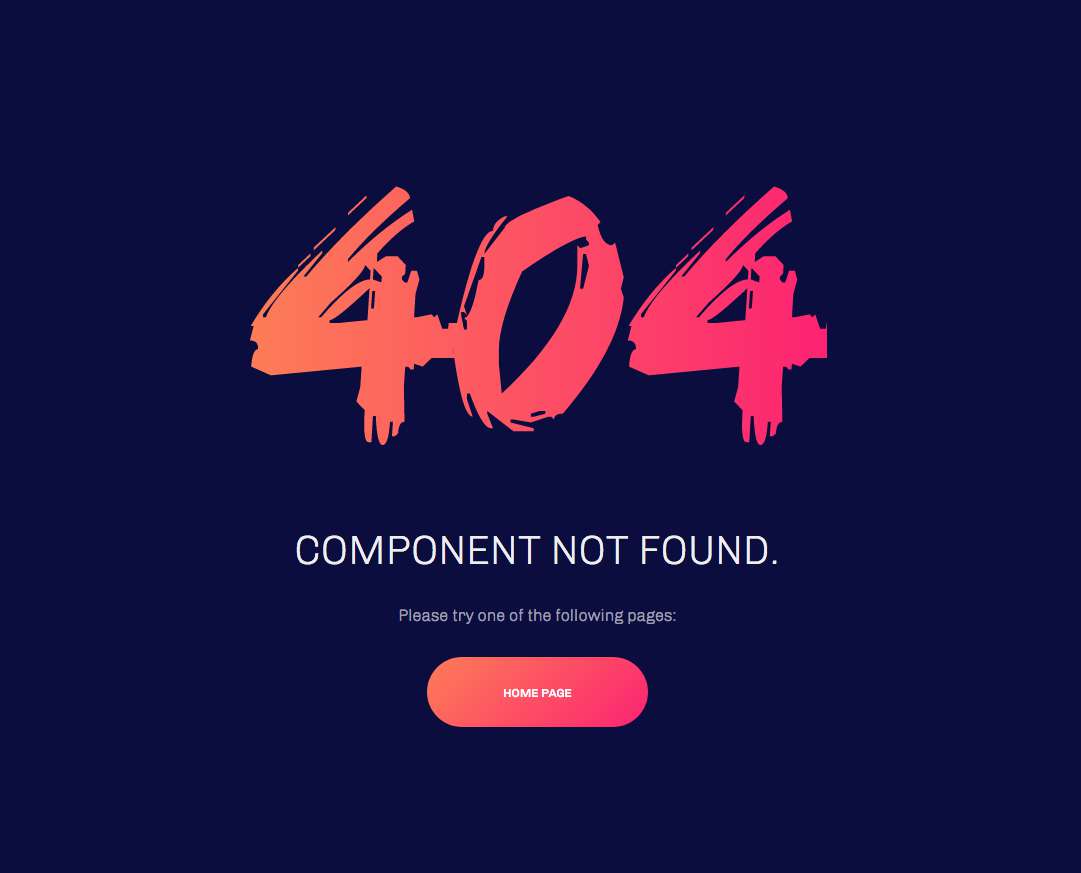
404 page
Typography
Heading Text
h1. Heading Secondary text
h2. Heading Secondary text
h3. Heading Secondary text
h4. Heading Secondary text
h5. Heading Secondary text
h6. Heading Secondary text
TIPS: Create lighter, secondary text in any heading with a generic <small> tag or the .small class.
Example body text
This is a lead paragraph.
Make a paragraph stand out by adding .lead.
Maecenas sed diam eget risus varius blandit sit amet non magna. Donec id elit non mi porta gravida at eget metus.
Nullam quis risus eget urna mollis ornare vel eu leo. Cum sociis natoque penatibus et magnis dis parturient montes, nascetur ridiculus mus. Nullam id dolor id nibh ultricies vehicula.
The following snippet of text is rendered as bold text.
The following snippet of text is rendered as italicized text.
An abbreviation of the word attribute is attr.
Address
Company Name795 Folsom Ave, Suite 600
San Francisco, CA 94107
P: (123) 456-7890Full Name
P: (123) 456-7890
Emphasis classes
This is a .mute paragraph.
This is a .text-primary paragraph.
This is a .text-warning paragraph.
This is a .text-danger paragraph.
This is a .text-success paragraph.
This is a .text-info paragraph.
Alignment classes
This is a left aligned text .text-left
This is a center aligned text .text-center
This is a right aligned text .text-right
This is a justify aligned text which is often used in Book Design, Magazine or special Typo Pages. Create a justify aligned text with .text-justify class.
Blockquotes
Lorem ipsum dolor sit amet, consectetur adipiscing elit. Integer posuere erat a ante.
Quote's author in Source Title
Lorem ipsum dolor sit amet, consectetur adipiscing elit. Integer posuere erat a ante.
Quote's author in Source Title
Tags
Color Swatches
Brand Colors
- #fd7d56
- Brand Primary
- #fc2372
- Brand Secondary
- #f0ad4e
- Brand Warning
- #d9534f
- Brand Danger
- #5bc0de
- Brand Info
- #5cb85c
- Brand Success
Grayscale Levels
- #222222
- Gray Darker
- #333333
- Gray Dark
- #555555
- Gray
- #999999
- Gray Light
- #eeeeee
- Gray Lighter
- #f7f7f7
- Gray Lightest
Buttons
Navigations
Inputs
Indicators
Alerts and Notifications
error message title
Donec eget purus nec tellus tincidunt lacinia et sed lorem. Cras ac dignissim mauris. Duis odio diam, rutrum ut est at, scelerisque malesuada risus.
sussess message title
Donec eget purus nec tellus tincidunt lacinia et sed lorem. Cras ac dignissim mauris. Duis odio diam, rutrum ut est at, scelerisque malesuada risus.
info message title
Donec eget purus nec tellus tincidunt lacinia et sed lorem. Cras ac dignissim mauris. Duis odio diam, rutrum ut est at, scelerisque malesuada risus.
warning message title
Donec eget purus nec tellus tincidunt lacinia et sed lorem. Cras ac dignissim mauris. Duis odio diam, rutrum ut est at, scelerisque malesuada risus.
Badges
Labels
Default Primary Success Info Warning Danger
Misc
List groups
- 14 Cras justo odio
- 2 Dapibus ac facilisis in
- Morbi leo risus
- 1 Morbi leo risus
- 2 Dapibus ac facilisis in
List group item heading
Donec id elit non mi porta gravida at eget metus risus varius blandit.
List group item heading
Donec id elit non mi porta gravida at eget metus.
List group item heading
Donec id elit non mi porta gravida at eget metus.
Panels
Panel heading
Panel content
Panel primary
Panel content
Panel success
Panel content
Panel warning
Panel content
Panel danger
Panel content
Panel info
Panel content
Wells
Look, I'm in a small well!
Look, I'm in a well!
Look, I'm in a large well!

Meet Grid 4.
A stylish, speedy and flexible theme for photographers.
Grid4 is the fourth incarnation of the Grid theme. It's a child theme built with the powerful, flexible and fast Buildr template. Buildr is an all in one Joomla template that makes it possible to build practically any kind of design you want with no coding experience at all.
Parallax rows
Grid4 features a discrete use of the Build.r parallax behaviour. It's super easy to add an image beneath a row of content and have it slide and parallax it's way up the screen. You can control the base height of each row, the colour of the transparent overlay, the size and speed of the image and more. It's a flexible solution that gives you the ability to control the parallax the way you want it to behave.

Featured Grid
The key design element featured in all of the Grid templates has been the use of a striking marginless 9 image grid. The grid used in the Grid4 templates comes from our powerful Zentools2 module with a range of caption effects, styles, overlays and behaviours.

Background slideshow
Grid4 also makes use of the background module position in the Build.r template and creates a striking sliding zentools2 backstretch slideshow that sits beneath your content and an elegant pixel grid overlay. You can control the height of the slideshow, the images that appear here and a ton of other display elements.

A Build.r child theme
Grid4 is the first child theme release for the Build.r template.
Build.r child themes utilise the Build.r core with the addition of a stylesheet and optional javascript file. The child theme is simply selected in the template admin and the new style information and javascript is included in your template once your template is saved. The Grid4 child theme is a mere 30 lines of code and what you see here on the Grid4 demo is simply a combination of the Build.r core settingswith a little bit of extra style information to match the Grid series design style.

A slimmed down quickstart package
Grid4 also comes with our new and improved quickstart packages. Rather than add the full documentation and feature overview for Grid4 we have provided a quickstart package that will definitely provide you with a quick start to your next project. It's built around a common site structure with relevant categories and pages for services offered, work down, a meet the team section with a contact form. In fact to all thats required to start fresh with a new project is to install the quickstart package and delete this page and the corresponding menu item, then your site is ready for you to start adding your content.
Build.r Key features ...
{zen-row} {zen-6}
Experience superb page speeds.

The above page speed result was tested on a standard content page on the Grid4 demo, with some small tweaks to the default template settings and our standardised .htaccess file.
{/zen-6} {zen-6}
Drag and drop designing.

Easily move modules around the layout and resize them according to your needs.
{/zen-6} {/zen-row}
{zen-row} {zen-6}
Intuitive design panel.

The Buildr template design panel makes changing colours, fonts and a ton of other design elements super easy. It gives you full control over the appearance of all areas of your website via easy to use color pickers, inputs, toggles and more.
{/zen-6} {zen-6}
Full support for Zentools2.

Zentools2 is our all in one swiss army knife for content display in Joomla. It features an extensive array of content sources and flexible modern layouts all from the convenience of a single easy to use module.
{/zen-6} {/zen-row}
{zen-row} {zen-6}
Granular responsive control.

Grid4 comes with a number of built in responsive controls. You can easily set breakpoints for your design, determine when the navigation or other elements should collapse, easily show / hide or otherwise control the appearance of the design across small, medium and large screens.
{/zen-6} {zen-6}
Built in effects and usability tools.

Easy to use back to top, sticky nav, lazyload tools as well as bouncing fading and other type of animations that can be applied to the template via a row by row or module by module basis.
{/zen-6} {/zen-row}
Other key features
- High performance out of the box
- Extensive font control with access to a sensible Font Stack, Google fonts and Typekit.
- A selection of responsive menu options including Toggle Menu, Off canvas, Select and Stacked.
- Dropdown menu with 3 types of animated effects.
- Accordion menu to transform any vertical Joomla menu into an accordion or panel menu.
- Dedicated one page mode to turn any page or website into a one page website.
- Hidden Panel for displaying modules like user logins.
- Off canvas position for displaying less important content on the page but off the screen.
- Built in css3 effects to make each rows slide, bounce or fade in as the user scrolls.
- Handy tools like back to top buttons, sticky menus, image lazy load and more.
- Granular control over responsive breakpoints to target where your design breaks.
- Social sharing and social network integration.
- Developer friendly architecture, for users who want to bypass the interface and dig deep into code.
- Bootstrap2 and Bootstrap3 compatibility.
- One page mode
- Font Awesome 4 font icon support